
Last checked: November 26, 2026 (game version v0.11.7-alpha).
How do skills unlock in Melvor Idle 2?
A new character unlocks skills step by step through an onboarding chain. According to player guides from tposegaming and MMOWire:
| Do this | Unlocks |
|---|---|
| Woodcutting level 2 | Fishing and Mining |
| Catch 20 shrimp | Cooking |
| Cooking level 10 | Thieving |
| Woodcutting level 8 | Astrology (Farming is another route) |
If you already know the game, the official Early Access patch notes added an option to skip the tutorial. It unlocks all skills and pages at once, either with a toggle when you create a character or from the pause menu. The developers recommend it only if you are already familiar with the game's systems.
What should you train first?
Gathering skills come first because they need no materials. Woodcutting, Fishing and Mining feed Firemaking, Cooking and Smithing, and every skill in Melvor Idle 2 is linked to others.
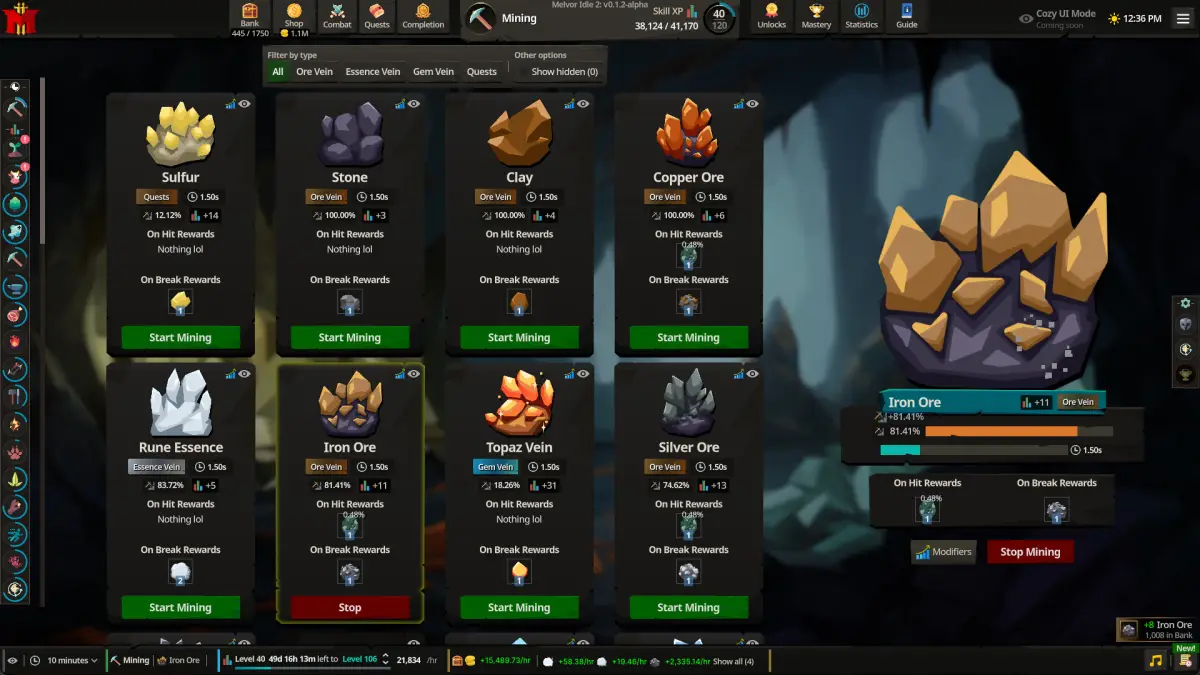
For Mining, MMOWire suggests Stone, then Clay at level 3 and Copper at level 5, and buying the Copper Pickaxe Head (1,000 GP and 15 Copper Bars) early because it makes rocks break faster.
How do you get GP early?
Sell spare logs and fish, but keep what you need for Cooking and quests. Quests pay well: the launch patch doubled their GP rewards. Our money making guide covers the full route from day one to Deep Blue Fishing.
Does Melvor Idle 2 progress while you are offline?
Yes. The developers say you keep progressing while offline at the same speed as when you play actively. The client is offline by default, and you can also save to Melvor Cloud.
Before you leave combat running, make sure you can survive several full fights and have enough food for the whole session.
Do demo saves carry over?
Yes. According to the official pre-launch post, saves carry over automatically if you use Melvor Cloud. If you played offline, they carry over as long as you use the same device. To be extra safe, use Copy save string in the save menu and keep the text somewhere on your computer.
Useful settings for new players
The Early Access update added a few options that help beginners:
- Legacy sidebar: shows all your skill levels at a glance, like Melvor Idle 1. It is on by default.
- Stop at level: set a skill level at which a skill stops automatically.
- Reset to level 60: if you levelled past content you wanted to play slowly, an option brings you back to level 60.